For Creality CFS · K2, K1 and Hi
Every spool,
accounted for.
Spoolhouse keeps track of every spool of filament you own: what’s left, what it cost and what each print used. It writes the RFID tags for Creality’s CFS, and takes filament off the right spool as you print.
Free · Mac, Windows and Android · No account, no cloud
Your filament, all in one place.
From the box it arrived in to the last metre on the spool.
Write CFS tags
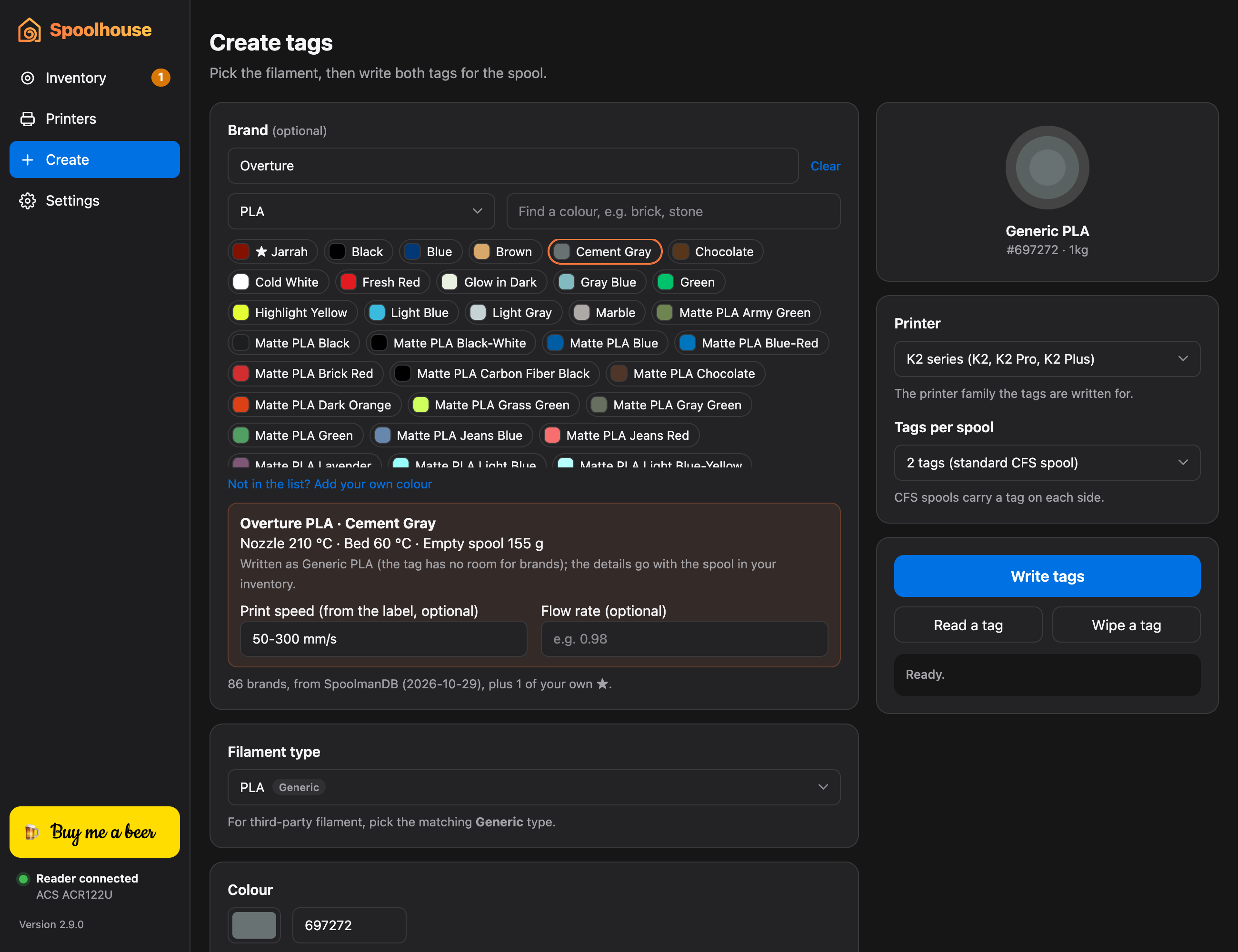
Write, read and wipe the RFID tags on your spools. Pick your filament’s brand and colour from over 7,500, and its temperatures and spool weight come with it.
Know what you have
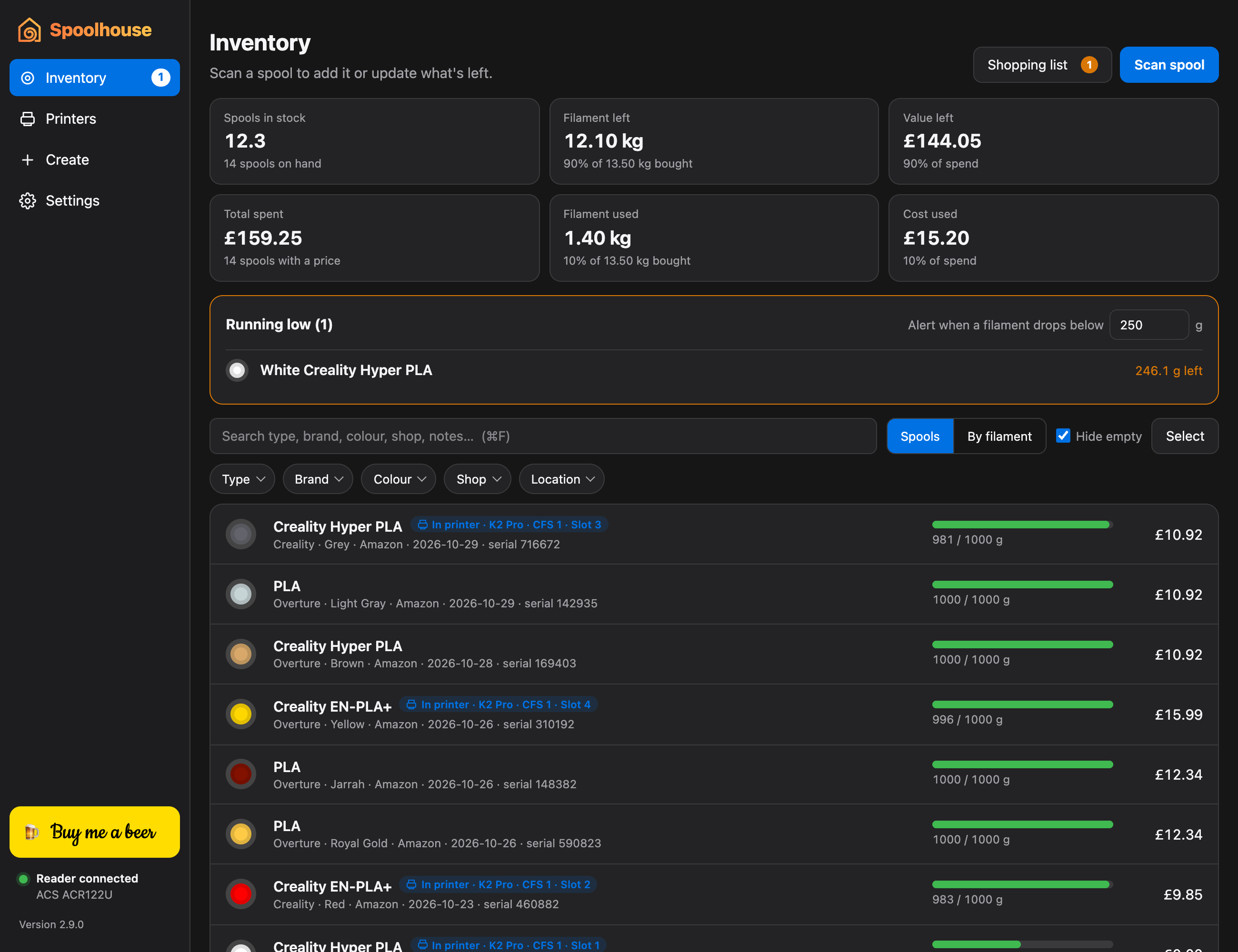
Scan a spool to add it, and pop it on a kitchen scale to update what’s left. See kilograms left, value left and what you’ve spent, filtered by type, brand, colour or shop.
Tracks every print
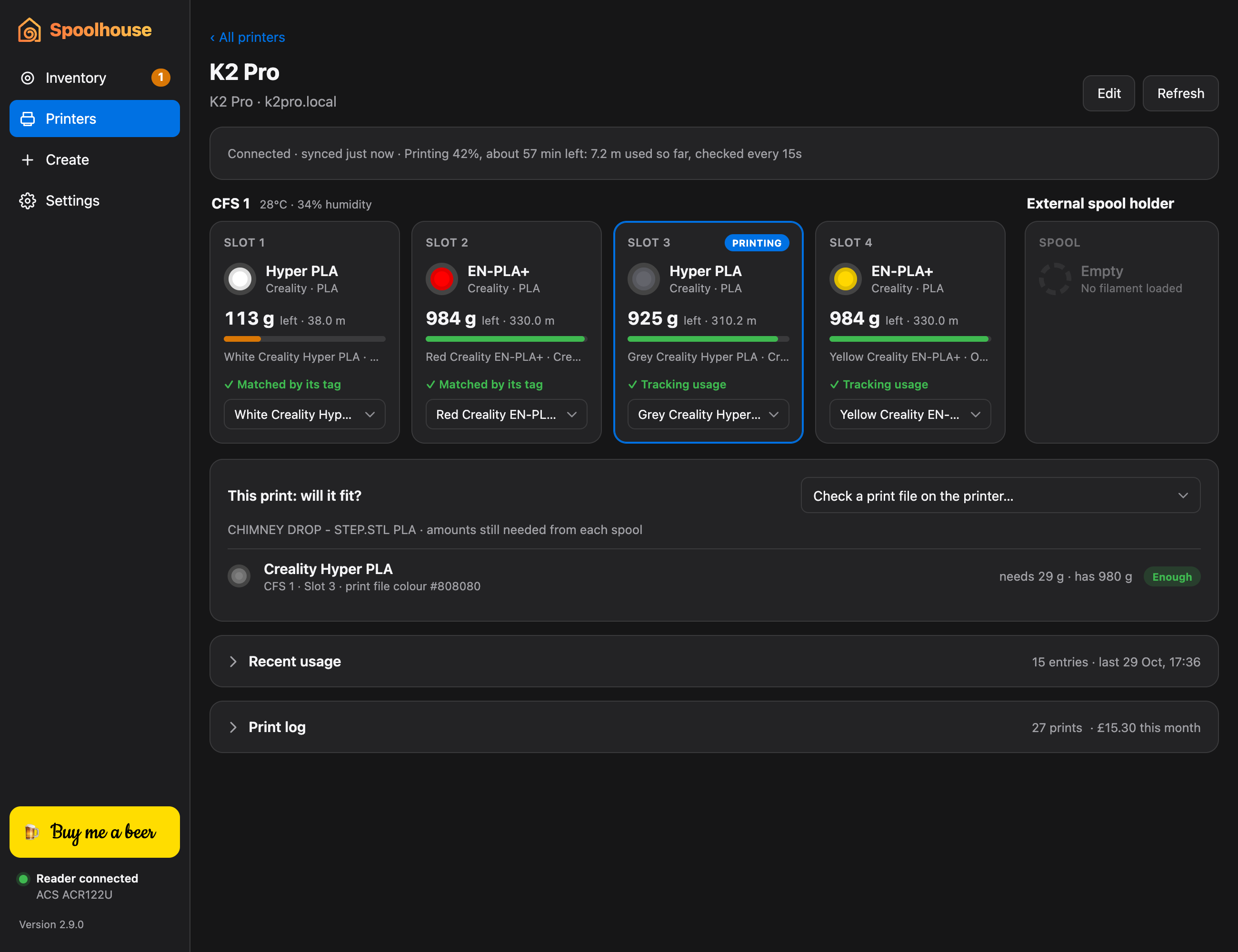
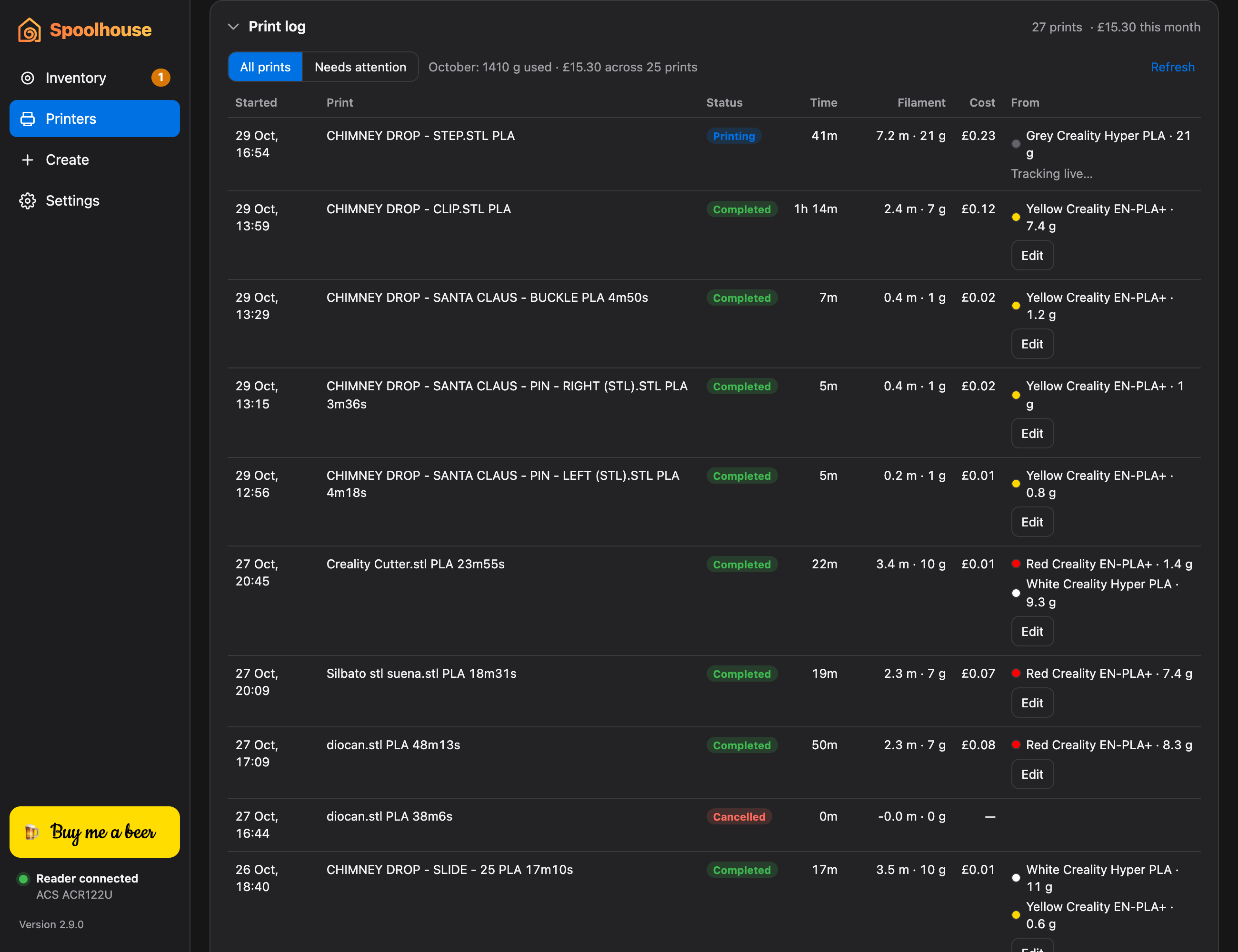
Connects to as many Creality K-series printers as you have. Filament each print uses comes off the right spool, with its cost, and it keeps tracking from the menu bar or system tray with the window closed.
Will it fit?
Before a print starts, check every colour has enough left on its spool. During a print, see its progress, time left and how much it still needs.
Never run out
Low-stock alerts, a shopping list with the last price and shop, and notifications when a print finishes or a CFS gets damp.
Your data stays yours
No account and no cloud. Automatic backups to a NAS or any folder, and export to a spreadsheet whenever you like.
How it works
-
STEP 1
Tag it
Write tags for a new spool, or scan one that’s already tagged. It joins your inventory with its weight, price and shop.
-
STEP 2
Load it
Put it in the CFS. Spoolhouse reads the printer’s slots and matches each one to your spool by its tag.
-
STEP 3
Print
As you print, the filament used comes off that spool. When a print finishes, you get its weight and cost.
Take a look
Android · coming soon to Google Play
On your phone, at the shelf.
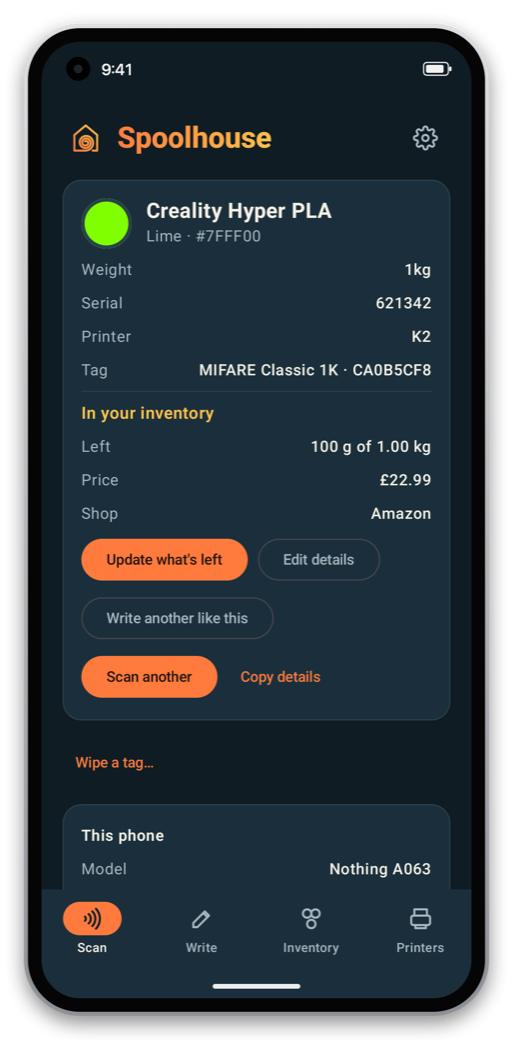
Hold a spool to your phone to see what it is and what's left on it. Write tags without the USB reader, weigh a spool to update it, and keep an eye on your printers from anywhere in the house.
- Scan and write tags. Read, write and wipe CFS tags with your phone’s NFC.
- On its own, or with your computer. Keep everything on the phone, or pair it with Spoolhouse on your computer by QR code, over your home Wi-Fi, encrypted. Switch any time.
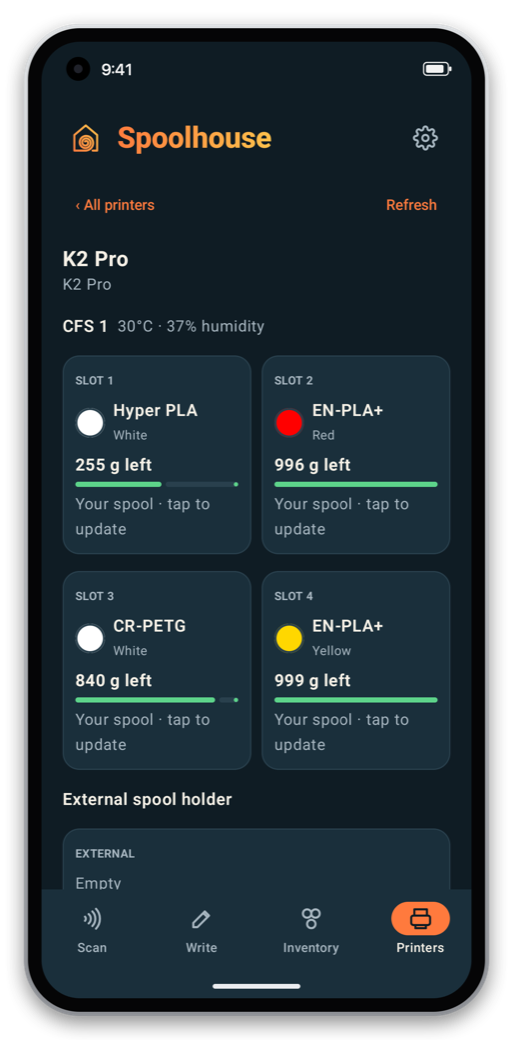
- Printers and alerts. Live CFS slots, print progress, filament off the right spools after each print, and notifications when a print finishes or a filament runs low.
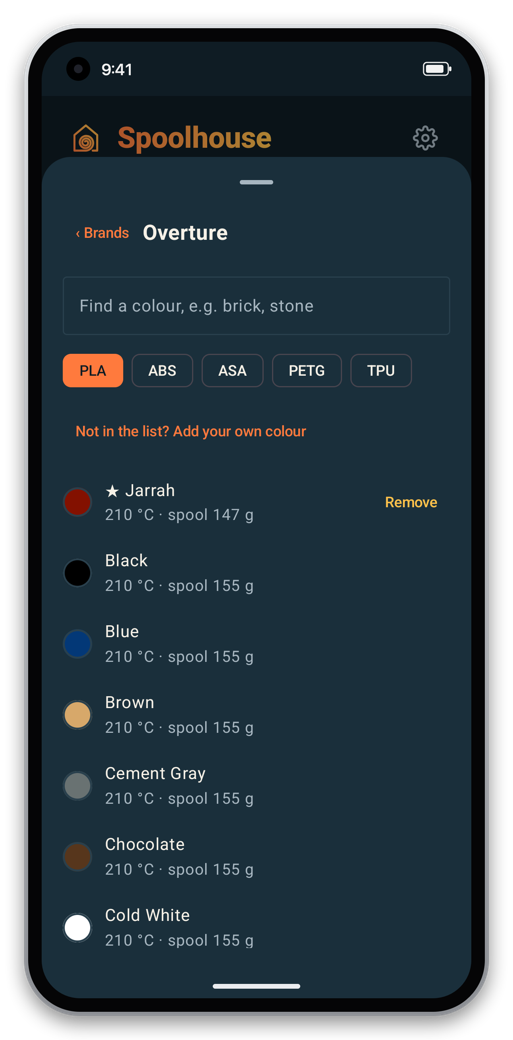
- Your brands. Pick your filament’s brand and colour when writing tags, with its temperatures and spool weight.
Needs an Android phone whose NFC supports MIFARE Classic tags (most with an NXP chip; the app tells you).
Get Spoolhouse
Coming soon
Spoolhouse is in its final round of testing. The first public version will be available here very soon, for Mac (Apple Silicon and Intel) and Windows, with the Android phone app on Google Play.
What you need
- A Windows 10 or 11 PC (64-bit), or a Mac with Apple Silicon (macOS 11+) or Intel (macOS 10.15+)
- A USB NFC reader for MIFARE Classic, such as the ACS ACR122U
- MIFARE Classic 1K tags or stickers
- For tracking: a Creality K2, K1 or Hi with a CFS, on your network
Install
Windows
- Run the installer. It doesn’t need an administrator.
- If SmartScreen appears, click More info → Run anyway.
Mac
- Unzip the download and drag Spoolhouse into Applications.
- The first time, go to System Settings → Privacy & Security and click Open Anyway.
Then plug in your reader and scan your first spool.
Questions
Is there a phone app?
Yes, for Android, coming soon to Google Play. It scans and writes CFS tags with the phone’s NFC, and works either on its own (your inventory and printers kept on the phone) or paired with Spoolhouse on your computer over your home Wi-Fi. You can switch between the two in its Settings.
Does it work with other brands’ filament?
Yes. Pick the brand and colour when you write the tags: over 7,500 filaments from 86 makers, including Overture, eSUN, Polymaker, SUNLU and Elegoo, with each maker’s own colour names. The tag is written as the matching Generic type (that’s all a CFS tag can hold), and Spoolhouse keeps the rest with the spool: the colour name, nozzle and bed temperatures, and empty spool weight for weighing. Missing a colour? Add your own. The brand list comes from SpoolmanDB, a free community database.
Which phones work with the app?
Android phones whose NFC chip supports MIFARE Classic, which in practice means most phones with an NXP NFC chip. Some phones (including many Samsung models) can only read a tag’s ID, not its contents. The app checks on first launch and tells you; inventory and printers work on any Android phone.
Why isn’t there an iPhone app?
Because an iPhone can’t read the tags. Creality’s CFS spools use MIFARE Classic RFID tags, and Apple doesn’t let iPhone apps read or write that kind of tag: the iPhone’s NFC works with many other tags, but not this one. Without that, an iPhone app couldn’t scan or write spools, which is the heart of the phone app. If Apple adds support, we’ll take another look. In the meantime, everything else in Spoolhouse works on your Mac or Windows PC.
Does it work on my computer?
Spoolhouse runs on Windows 10 and 11 (64-bit), on Apple Silicon Macs (M1 or later) with macOS 11 Big Sur or newer, and on Intel Macs with macOS 10.15 Catalina or newer. There’s a download for each. On a Mac, Apple menu → About This Mac shows “Chip: Apple M…” on Apple Silicon and “Processor: Intel” on Intel.
Is it really free?
Yes, the Mac, Windows and Android apps are all free. The Mac and Windows app is open source under the GNU GPL v3.0. If it saves you time, you can buy me a beer, but you never have to.
Do I need a Creality printer?
No. The inventory and tag writing work on their own. Connecting a Creality K-series printer with a CFS (K2, K1 or Hi) adds live slots and automatic usage tracking. It has been tested on a K2 Pro.
What if Spoolhouse wasn’t running during a print?
Nothing is lost. The print log comes from the printer itself, so prints that ran while the app was closed show up as “Needs attention”, and you can charge each one to the right spools afterwards. Prints from a multi-colour file split themselves between the colours.
Can it change anything on my printer?
No. Spoolhouse only reads from the printer over your local network. It never sends it commands.
Which NFC reader do I need?
A USB PC/SC reader for MIFARE Classic tags. It’s tested with the ACS ACR122U. CFS spools use MIFARE Classic 1K tags or stickers.
Does my data leave my computer?
No. Everything is stored on your computer. The only thing Spoolhouse asks the internet is GitHub, once a day, whether a newer version is out, and you can switch that off.
Why does my computer warn me about the app?
Spoolhouse isn’t signed with a paid developer certificate yet. On a Mac, the first time you open it, go to System Settings → Privacy & Security and click Open Anyway. On Windows, if SmartScreen says it protected your PC, click More info → Run anyway. You only need to do this once.
Does the ACR122U work on Windows?
Yes. Windows usually sets it up by itself when you plug it in. If Spoolhouse doesn’t find the reader, install the ACR122U driver from ACS’s website (acs.com.hk), then unplug the reader and plug it back in.
Is this made by Creality?
No. Spoolhouse is an independent project and isn’t affiliated with or endorsed by Creality. The CFS tag format comes from the reverse-engineering work of DnG-Crafts.